Saturday, 29 April 2017

Rooting Android - Everything you need to know..!


You might have heard about rooting your android previously, but rooting it without complete knowledge about it may be harmful. So, here I am going to provide you information from basics to top level with a view to know what really happens in background when you root your phone.

What is rooting?

Generally when you search google for this, you find answer in one or two lines which says that rooting means gaining root access of your phone. But what does this root access really means! You might be knowing the answer if you are familiar with Linux. But still, let me explain about it.

The thing that one should know is, "Android is based on Linux". Now, let us elaborate the statement for understanding.

Android may be based on Linux, but it’s not based on the type of Linux system you may have used on your PC. You can’t run Android apps on typical Linux distributions and you can’t run the Linux programs you’re familiar with on Android. You would be wondering why!

The answer is, Linux makes up the core part of Android, but Google hasn’t added all the typical software and libraries you’d find on a Linux distribution like Ubuntu i.e. the System Call Interface and the API designed for android is different than that of Linux. This makes all the difference.

The core part of any operating system is its kernel. It holds control over the system and its hardware. Android uses the Linux kernel under the hood. Because Linux is open-source, Google’s Android developers could modify the Linux kernel to fit their needs. Linux gives the Android developers a pre-built, already maintained operating system kernel to start with so they don’t have to write their own kernel. You can even see the Linux kernel version running on your device under About phone or About tablet in Android’s Settings.

As I said that Android runs over Linux kernel, but it too has a security over its kernel. So that any user cannot modify a system file that causes harm to the computer. But still there might be needs to modify system files and hence the concept of superuser(root user) was used.

A user who has the total control over the system is called the root user in Linux. And as Android uses Linux kernel, we can also use the same concept in android to gain access to the system files. Hence, rooting refers to gaining root access in our android device. Gaining root access means to become a superuser(root user) of the system.

Glossary of Rooting Terms:

As you will start learning more about rooting process, you'll probably run into a bunch of terms and that might confuse you. Here are some of the most important ones and what they mean. If you think there are more terms we should discuss on, write to me in the comment box given at the end of this article.

  • Root: Rooting means you have root access to your device—that is, it can run the sudo command, and has enhanced privileges allowing it to run apps like Wireless Tether or SetCPU. You can root either by installing the Superuser application or by flashing a custom ROM that includes root access.
  • ROM/Firmware: A ROM is a modified version of Android. It may contain extra features, a different look, speed enhancements, or even a version of Android that hasn’t been released for your phone yet. We won’t discuss ROMs in depth here, but I will write a separate guide on it.
  • Stock/Stock Frimware: “Stock” refers to a few different things, depending on the context. When we refer to “Stock Android,” we mean the Google-built version you’d find on Nexus devices, with no extra UI chances like HTC Sense or Samsung TouchWiz. Many ROMs are based on stock Android with some additions, like CyanogenMod, while others are based on the version that came with your phone. In other cases, “Stock” can also mean the version of Android that came with your phone—e.g., if you want to get rid of your ROM and return your phone to factory settings, you might say you’re “going back to stock.”
  • Kernel: A kernel is the component of your operating system that manages communications between your software and hardware. There are a lot of custom kernels out there for most phones, many of which can speed up your phone and increase your battery life, among other things. Be careful with kernels, though, as a bad one can cause serious problems with your phone and possibly even brick it.
  • Radio: Radios are part of your phone’s firmware. Your radio controls your cellular data, GPS, Wi-Fi, and other things like that. You can sometimes find custom radios for your phone that you can flash yourself, but beware as sometimes these can cause problems.
  • Flash: Flashing essentially means installing something on your device, whether it be a ROM, a kernel, or a recovery that comes in the form of a ZIP file. Sometimes the rooting process requires flashing a ZIP file, sometimes it doesn’t.
  • Brick: To brick your phone is to break it during flashing or other acts. There is always a small risk with flashing, and if your phone becomes unable to function—that is, it basically becomes a brick—you’ve bricked your phone
  • Bootloader: Your bootloader is the lowest level of software on your phone, running all the code that’s necessary to start your operating system. Most bootloaders come locked, meaning you can’t flash custom recoveries or ROMs. Unlocking your bootloader doesn’t root your phone directly, but it does allow you to root and/or flash custom ROMs if you so desire.
  • Recovery: Your recovery is the software on your phone that lets you make backups, flash ROMs, and perform other system-level tasks. The default recovery on your phone can’t do much, but you can flash a custom recovery—like ClockworkMod or TWRP—after you’ve unlocked your bootloader that will give you much more control over your device. This is often an integral part of the rooting process.
  • Nandroid: From most third-party recovery modules, you can make backups of your phone called nandroid backups. It’s essentially a system image of your phone: Everything exactly how it is right now. That way, if you flash something that breaks your phone, you can just flash back to your most recent nandroid backup to return everything to normal. This is different from using an app like Titanium Backup that just backs up apps and/or settings—nandroid backups backup the entire system as one image. Titanium backups are best when switching between ROMs or phones.
  • ADB: ADB stands for Android Debug Bridge, and it’s a command line tool for your computer that can communicate with an Android device you’ve connected to it. It’s part of the Android Software Developers Kit (SDK). Many of the root tools you’ll find use ADB, whether you’re typing the commands yourself or not.

We will discuss more about all these when I will write tutorials on rooting, unlocking bootloader, flashing custom ROMs and more.. Till then, stay in touch.

Monday, 24 April 2017

Caller ID Spoofing - How to Call Anyone from Any Number and Unlimited Credits Trick..!


Before going deep into which application to use for call spoofing and more, let us first understand the concept of caller id spoofing. So first, what do you mean by caller id?

Caller ID (caller identification, CID) is a telephone service, available in analog and digital phone systems and most voice over Internet Protocol (VoIP) applications, that transmits a caller's number to the called party's telephone equipment during the ringing signal, or when the call is being set up but before the call is answered. In short, it is a unique identification of a caller on network and this is generally the number displayed to you on your screen.

What is Caller ID Spoofing?

Caller ID spoofing is the act of altering the information forwarded to your caller ID in order to hide the true origin ID. In simpler terms, caller ID spoofing allows you to display a phone number different than the actual number from which the call was placed. Oftentimes, the most important aspect of caller ID spoofing is spoofing the area code, thus giving you the ability to appear as though they’re calling from a specific location. Caller ID spoofing has been around for many years, and there are various reasons for which someone would place a spoofed call.

Generally, caller ID spoofing means to fake a call to some person from another number. So that the original number is not shown to the receiver but a fake number is shown as a caller ID.

How Caller ID Spoofing Works?

Outbound Caller ID can be spoofed in a number of ways. The most popular, and easiest of these methods is through VoIP (Voice-over-Internet-Protocol). VoIP is the technology that allows for voice communications to be sent over an Internet connection rather than through a phone line or cell tower.

Some VoIP providers allow users to configure the number they display as the caller ID through the configuration page on their website. In spoofing services which use VoIP, the user flow is as follows: The user opens the application (web or mobile) of the spoofing provider. They enter the number they wish to call, followed by the number they wish to display. When they press ‘send’ or ‘call’, the call is sent through a VoIP service, where the outbound caller ID is changed and then connected to their desired number.

Other spoofing services use a personal identification number (PIN). Users dial a number to connect to the service and enter their PIN. Then they enter the number they wish to call and the number they want to display as their Caller ID. The call is connected and the person they call sees the caller ID they chose to display as their outbound number.

In short, the server masks original caller ID with a fake one and then it makes the call.


Which apps to use?

There are many apps available on Playstore for this purpose. But we should take a great care using apps. As apps can also get access to our contacts and gallery and more, and hence there is a scenario of us being spied by others. Also sometimes, cases of data stealing takes place. So, a great care should be taken.

Most of the apps available on Playstore asks us to buy credits for calling. Hence, they do not provide this service for free. Also, the rates are different for different apps. And also a limitation is, certain apps work over a definite region only. For example, one app may be able to spoof calls in India but not in other country.

Some apps provide use a trial of 60 seconds or more. Then if you are comfortable with the service, they will ask you to buy a package. One such similar app was tried and here I got a trick for you to make unlimited calls.


Application and Trick for Unlimited Credits:

You should strictly follow these steps for getting unlimited credits or else this trick will not work.

Step 1: Download Fake Call app from Playstore and Install it. But Do Not Open this app after installation. (Don't open the app after installation or else it will not work.)

Step 2: Download and install Parallel Space from Playstore. Parallel Space is an application that allows you to clone apps on your android so that you can run two same apps simultaneously.

Step 3: Now open Parallel Space (not Fake Call), and select any app to clone. After that you have cloned any app, Parallel Space generates a new ID for this parallel running apps which is different from the original phone's ID.

Step 4: Now, clone the Fake Call app. You will find it by the name "ID Changer" in your list of applications inside parallel space. (Please take care not to open the application in phone before or after cloning.)

Step 5: Now, open the app (ID Changer) from Parallel Space (and not from your original app drawer).

Step 6: After opening, you will get a screen with 0.5 credits, asking your fake number and the number you want to call to. But still don't make any calls. Instead, close the app and reopen it again from Parallel Space. On reopening, your credits will increase to 0.6.

Step 7: Now, use this credits making calls and having fun.

Step 8: When your credits are used, i.e you have no more credits left, then uninstall Parallel Space and repeat from step2 to step7.

NOTE: Do not open ID Changer from the inbuilt app drawer and always open the app from Parallel Space.


Is Caller ID Spoofing Legal?

Now you are using this app for free but is it good and legal to use such applications and spoof caller ID!!! There are different laws applied in different countries.

In the United States, “Under the Truth in Calling Act, FCC rules prohibit any person or entity from transmitting misleading or inaccurate Caller ID information with the intent to defraud, cause harm, or wrongly obtain anything of value.  If no harm is intended or caused, spoofing is not illegal.  Anyone who is illegally spoofing can face penalties of up to $10,000 for each violation.  In some cases, spoofing can be permitted by courts for people who have legitimate reasons to hide their information, such as law enforcement agencies working on cases, victims of domestic abuse or doctors who wish to discuss private medical matters.”

In Canada, Caller ID spoofing is completely legal, although Canadians are plagued by corporations using spoofing for illegitimate or fraud purposes. These are unsolicited calls that go against the terms of service of most spoofing services, meaning the companies in question likely have an in-house service they use.

In the United Kingdom, the spoofed number MUST be allocated to the caller, or used with a third party’s explicit permission in order to remain legal.


Please do comment if you are having any problem following these steps. Thank you..! I am looking forward to share the knowledge of SMS spoofing and E-mail spoofing, so stay in touch.

Monday, 17 April 2017

Gather Information Using Google Hacking


As a part of our chapter on Footprinting and Reconnaissance, this article is to make you aware about how to gather information using Google search. We have seen earlier on how to search google servers that deep to get direct download links. Ever though what was it?

We have been using Google search for a long time but none of us tried to search deep in server. Just we clicked on the website link that google showed to us but instead we can try Google search to modify results according to our needs. These all can be done using Google Dorks - also known as google commands or filters. So, let us start understanding what Google Dorks is and how to use them.

Google Dorks can be used as per our wish:
  • For Hacking
  • For Normal Uses
It depends on individual how he/she uses this function. Let us start understanding the term and its uses.

Basics

Google hacking involves using advanced operators in the Google search engine to locate specific strings of text within search results.

Examples

  • Some of the more popular examples are finding specific versions of vulnerable Web applications.
  • Devices connected to the Internet can be found. A search string such as inurl:"ViewerFrame?Mode=" will find public web cameras.
  • Another useful search is following intitle:index.of followed by a search keyword. This can give a list of files on the servers. For example, intitle:index.of mp3 will give all the MP3 files available on various servers. We have seen this technique to get direct download links of movies, PDFs, songs and more..

History

Everytime the history seems to us. But here, this is not the case. It is the case were a computer expert turned into a hacker.

The concept of "Google Hacking" dates back to 2002, when Johnny Long began to collect interesting Google search queries that uncovered vulnerable systems and/or sensitive information disclosures - labeling them googleDorks.

The list of googleDorks grew into large dictionary of queries, which were eventually organized into the original Google Hacking Database (GHDB) in 2004. In short, GHDB is an extended version of Google Dorks.

After the release of GHDB, Johnny Long wrote his own book on Google Hacking popularly known as Google Hacking for Penetration Testers.

Introduction

A misconfigured server may expose several business information on Google. It is difficult to get access to files from database sites through Google. We can use as an example, the use of “cache” Google, where it stores older versions of all sites that were once indexed by their robots. This feature allows you to have access to pages that have already been taken from the air, since they already exist in the database of Google. To read more on Google cache and to know how to use it, click here..

What kind of data can be exploited?

We all know that Google spies on us by keeping a record of what we search or what we do..! Similarly, Google keeps a spy of various servers too. It maintains the information either in its storage server or in its server cache. Hence, many a times, important data of a server gets leaked unknowingly.

You might have heard of performing SQL injection using Google search. Here are many other data that we can obtain from Google using GHDB.
 

Advisories and Vulnerabilities 

These searches locate vulnerable servers. These searches are often generated from various security advisory posts, and in many cases are product or version-specific. 

Error Messages

Really retarded error messages that provide us more of the information. When we come to know that a website is not properly configured, we can start searching for the mistake in the site which can be used as a vulnerable part to whole website. Sometimes, error message provide us this kind of information.

Files containing juicy info

No usernames or passwords, but interesting stuff which has same value as usernames and passwords. 

Files containing passwords

Google search can also provide us passwords form its database if we use Dorks correctly.  

Files containing usernames

These files contain usernames, but no passwords...

Footholds

Queries that can help a hacker gain a foothold into a web server

Pages containing login portals

These are login pages for various services. Consider them the front door of a website's more sensitive functions.

Pages containing network or vulnerability data

These pages contain such things as firewall logs, honeypot logs, network information, IDS logs... all sorts of fun stuff!

Sensitive Directories

Google's collection of web sites sharing sensitive directories. The files contained in here will vary from sesitive to top-secret!

Various Online Devices

This category contains things like printers, video cameras, and all sorts of cool things found on the web with Google.

Vulnerable Files

HUNDREDS of vulnerable files that Google can find on websites...

Vulnerable Servers

These searches reveal servers with specific vulnerabilities. These are found in a different way than the searches found in the "Vulnerable Files" section. 

Tools which help to perform Google Hacking

There are two official websites which help us perform google hacking:
Also there is an app available on playstore named "Google Dorks" which can be used to learn basics of GHDB.


There are so many things to learn in GHDB and all of them cannot be mentioned in a single article. Hence, I am looking forward to open a new tab in this blog specially for GHDB. So, keep in touch..!

Saturday, 15 April 2017

Latest Hacking Tools LEAKED..! - NSA Was Targetting SWIFT Banking Networks..


Now, the Shadow Brokers group just published a new 117.9 MB of encrypted archive via its new blog post, titled "Lost in Translation," which can be unlocked by anyone using password "Reeeeeeeeeeeeeee."
 
Someone has already uploaded the unlocked archive on GitHub and listed all the files contained in the dump released by the Shadow Brokers, which includes 23 new hacking tools.

These hacking tools have been named as OddJob, EasyBee, EternalRomance, FuzzBunch, EducatedScholar, EskimoRoll, EclipsedWing, EsteemAudit, EnglishMansDentist, MofConfig, ErraticGopher, EmphasisMine, EmeraldThread, EternalSynergy, EwokFrenzy, ZippyBeer, ExplodingCan, DoublePulsar, and others.

Security researchers have started delving into the dump to determine the capabilities of the alleged exploits, implants and payloads that are claimed to work against Windows platforms.


Click to view full size image


Click to view full size image


Click to view full size image

"SWIFT Host of Palestinian Bank was running Windows 2008 R2 vulnerable to exploit framework FUZZBUNCH." Matt tweeted.

More key findings will come as soon as other security researchers delve into the latest dump. These tools are called a dump as still we don't know the total power of these tools. And unless we know what these tools can do, it is not worth to call them as Hacking Tools.

This release is the latest from the Shadow Brokers desk and at the moment, it's not confirmed whether the hacking group holds more NSA hacking tools and exploits or this one is the last batch it stole from the United States intelligence organization.

EastNets Denies SWIFT Hacking Claims in a recent Update..


Source: The Hacker News 

Tuesday, 4 April 2017

Hacker Stole $800,000 From Russian ATMs Without Even Touching It....!


The method was a complete mystery, and the only clues left behind were files containing a single line of English text: "Take the money, bitch."

In total 8 ATM's were Hacked of 2 Russian banks last year. And still the banks might not have known if the Hack would have not been revealed by Security Analysts.

It was fast and furious, and if not for the surveillance cameras that captured the heist in action, two banks in Russia would never have known what occurred last year when eight of their ATMs were drained of cash—nearly a million dollars worth of rubles in a single night.


Mysterious ATM Hack Uncovered by Security Analysts


Click to view full size image

Dubbed ATMitch, the malware — previously spotted in the wild in Kazakhstan and Russia — is remotely installed and executed on ATMs via its remote administration module, which gives hackers the ability to form an SSH tunnel, deploy the malware, and then sending the command to the ATM to dispense cash.

Since Fileless malware uses the existing legitimate tools on a machine so that no malware gets installed on the system, the ATM treats the malicious code as legitimate software, allowing remote operators to send the command at the time when their associates are present on the infected ATM to pick up the money.

This ATM theft takes just a few seconds to be completed without the operator physically going near the machine. Once the ATM has been emptied, the operator 'signs off,' leaving a very little trace, if any, of the malware.

However, this remote attack is possible only if an attacker tunnels in through the bank's back-end network, a process which required far more sophisticated network intrusion skills.

How this malware worked?

Golovanov told Motherboard in an interview before the conference that when he and his colleagues examined the two log files containing the English text, they laughed at the boldness. The heist worked in three stages, with the first two using commands that instructed the ATM to withdraw the bills stored in cassettes and place them in line to be dispensed, and the third stage using a command that opened the mouth of the ATM. It was at this point that the command, "Take the money bitch," appeared in the log file, and possibly on the ATM's screen as well to signal the money mule to grab the bills and go.


The log files made it obvious that the bank had been hacked, but the researchers needed samples of the missing malware that had been on the machines to see how the robbers had pulled it off. So Golovanov and his team created a YARA rule for the line of English text they found in the logs - YARA is a tool that lets researchers sift through a lot of files and networks using a search string—and used it to search files submitted to.

VirusTotal is a website that aggregates dozens of antivirus programs in one spot. Security researchers and others can submit suspicious files to the site to see if any of the programs detect them as malicious. Golovanov's team found a match with two files that someone had uploaded from Russia and Kazakhstan.

They reverse-engineered the code and dug through the bank's network to reconstruct how the attack occurred, discovering that the hackers built extensive digital tunnels throughout the bank's network, which they used to issue PowerShell commands to the ATMs. This allowed the attackers to control the machines in real-time when the money mule was present.

"It could be just one person or two persons [doing this]," Golovanov says, noting that the CCTV images seemed to show the same person extracting money from all the ATMs.

Golovanov says that tracking fileless attacks is difficult but not impossible.
"To address these issues, memory forensics is becoming critical to the analysis of malware and its functions," he noted in a statement released by Kaspersky. "And as our case proves, a carefully directed incident response can help solve even the perfectly prepared cybercrime."

Monday, 3 April 2017

Anonymous hacks ISIS website and Infects them with malware..!


Anonymous is making efforts to reduce the online influence of ISIS, the terrorist group to the best of its abilities and that happens to be using its dexterous hacking skills.

The Amaq, which is the official news agency of Daesh or ISIS terrorist group is informing all its users about a potential compromise in their security of the website. According to Amaq, their site has been hacked by the Anonymous hackers and is now infecting thousands of its users.

When visited the site, the following message is appearing: “The site ahead contains a malware, and that attacker might attempt to install a dangerous program on your computer which steals or deletes your information.

It seems that the site’s administrators have identified the hack on Thursday and told the media by a telegram channel and have warned their users not to download the flash player which is appearing on the site. It says “Please be warned,” as the download flash player results in the compromise of the users devices.

The Vocativ reports that several ISIS forums have reported about this incident, and according to few forum users, this virus was impersonating like a Flashplayer.apk. APK (Android package kit), which is an Android operating system file format. They also claimed that this malware is designed to spy on ISIS terrorist group’s members and also tracks the user’s locations, read conversations and collect all multimedia files present on their devices.

Click to view full size image

With most malware opening up unnecessary pop-ups and slowing the system down, according to the source, this particular malware has a more precise nature that is suited to what Anonymous’ next step is going to be. It has apparently been designed to be the eyes and ears of the hacking group and is expected to spy on the ISIS terrorist group’s members.

In addition, it can also track user’s locations, read conversations and collect all the multimedia files on their devices. Perhaps this is the tool that Anonymous can use to warn the impending danger from ISIS’ side if the need ever arises.

Since the virus is disguised as a Flash Player APK file, thousands of its users are supposedly compromised. One user has also suggested that to get rid of this malware, one should reset the device to factory settings.

No group has claimed the responsibility of the hack so far, but it is believed that could be an anti-ISIS group running operation ISIS, #OPISIS is behind this hack. The people behind #OPISIS- an anonymous- affiliated anti-ISIS online campaign have been known to disrupt the ISIS’ online presence over the past few years. The fact that hackers left a message stating “We are coming for you,” could confirm that they are behind the hack.

Proofs are provided below :

It is a great step the Anonymous Hacking Group to fight back against illegal terrorist activities of ISIS. Once again Hackers proved that they can change the society though illegally. Now, let us see what is the next step taken by Anonymous.

Sunday, 26 March 2017

Fake GPS Location - Everything you need to know..!


You all might be wondering about how to fake your GPS Location. There may be many situations arising when you might need this thing to be done..! Suppose you are roaming out with your friends and your parents ask you to send your location in order to prove that you are studying. Or else when you are at home but you want to avoid someone to come at our home, saying that you are outside. You can easily do this by sending Fake GPS locations on WhatsApp.

Overview :

You might have read my previous articles and you might be knowing that I believe in explaining the deepest part of the tricks. So let us see the overview of the things you will learn in this article.
  • What is GPS?
  • How does GPS work?
  • The process called Trilalertation.
  • Applications providing Fake GPS services.
  • How these applications work?
  • Doing the task with/without ROOT permissions.
  • Setting Fake Locations in Android, iPhone and on your PC.


The GPS :

The Global Positioning System (GPS) is a network of about 30 satellites orbiting the Earth at an altitude of 20,000 km. The system was originally developed by the US government for military navigation but now anyone with a GPS device, be it a SatNav, mobile phone or handheld GPS unit, can receive the radio signals that the satellites broadcast.

Wherever you are on the planet, at least four GPS satellites are ‘visible’ at any time. Each one transmits information about its position and the current time at regular intervals. These signals, travelling at the speed of light, are intercepted by your GPS receiver, which calculates how far away each satellite is based on how long it took for the messages to arrive.

Once it has information on how far away at least three satellites are, your GPS receiver can pinpoint your location using a process called trilateration.

Trilateration


Imagine you are standing somewhere on Earth with three satellites in the sky above you. If you know how far away you are from satellite A, then you know you must be located somewhere on the mobile icon. If you do the same for satellites B and C, you can work out your location by seeing where the three circles intersect. This is just what your GPS receiver does, although it uses overlapping spheres rather than circles.

The more satellites there are above the horizon the more accurately your GPS unit can determine where you are.

How to send Fake GPS location on Whatsapp?

You might have seen this trick before. But most of the time, the app which allows you to set fake location requires root permissions. Here, I am going to introduce you with method that doesn't require root permission. That means NO ROOT REQUIRED. Also, there are many methods to send fake location on whatsapp. I am going to explain only one of them.

Send Fake location on Android :

Step 1: First, Install Fake GPS App in your Phone from here: Download

Fake GPS Location

Step 2: Then go to Phone Settings>About Phone.

Step 3: Go on tapping on `Build Number` until you get a New Settings of Developer options.

Step 4: Open your Phone’s Settings again, and Select the option of Developer Options.

Step 5: In Developer Options, select `Allow Mock Locations` Button.

Step 6: Now Open Fake GPS app from your Android Phone, and search the location of your choice.

Step 7: After Searching the Location, simply click on `Set Location` and you are done.

Step 8: Now Open Whatsapp, and Send Location to anyone. It will send the location which you have set in Fake GPS app. Enjoy...! 

How this application does the task?

Actually, you can't fake GPS. What you can do is tell your Android to tell apps that you're in a different location than you really are.

This is useful for development. If I need to test that my app can tell what speed I'm traveling, I can do one of two things:
  1. Run around outside.
  2. Tell the Operating System to simulate my location.
The advantage of #2 is that you can be sitting inside your office debugging your app.

The thing is you still have to simulate your travels. For this, Android has a "fake my location" API which lets you write an app which will feed your app (as well as all others) fake location.

This is the reason the the app tells you to enable "enable mock locations" (and is also why this feature is in "Developer options", as it's mainly written for them).

Your app doesn't get GPS signals. The OS does. The OS only passes the coordinates (along with some other data) to the app. Fake GPS tells the OS to fake the location it's sending to the app.


Because of limited length of my article, the two topics are left to get covered.
  • Fake GPS on iPhone.
  • Fake GPS on PC.
These will be covered in my next article. Till then, enjoy..! And if you have any queries regarding this article, post your comments below. Thank you..

Special thanks to : Pikachuu..

Friday, 24 March 2017

Steganography - How to hide Files behind Images..!


Overview:

Here, you are going to see :
  • What is Steganography?
  • Using Stegosploit.
  • How to hide Files behind an Image?
  • What is the Importance of Steganography in Hacking?
  • How to prevent yourself from this attack?
  • How can you extract Hidden files behind the Image?
  • Some real time examples.
  • And much more..

Introduction:

Before going forward to the trick, let me tell you what Steganography really is..!

Steganography is the practice of concealing a file, message, image, or video within another file, message, image, or video.

And now let me introduce you to Stegosploit.


Next time when someone sends you a photo of a cute cat or a hot chick than be careful before you click on the image to view — it might hack your machine.
Yes, the normal looking images could hack your computers — thanks to a technique discovered by security researcher Saumil Shah from India.

And yes, this is really true. A situation happened with me about 6 months ago. Here, we were asked to post a picture of cute cat on our facebook timeline and when you did, it blocked your facebook account. At that time, many people called it as a bug in facebook but was is really a malicious code or some abusive file hidden behind the image. If you want to get more details, search Google for it.

Just look at the Image and you are Hacked..! 

Shah demonstrated the technique during a talk titled, "Stegosploit: Hacking With Pictures," he gave on Thursday at the Amsterdam hacking conference Hack In The Box.
According to Shah, "a good exploit is one that is delivered in style."
Keeping this in mind, Shah discovered a way to hide malicious code directly into an image, rather than hiding it in email attachments, PDFs or other types of files that are typically used to deliver and spread malicious exploits.
To do so, Shah used Steganography — a technique of hiding messages and contents within a digital graphic image, making the messages impossible to spot with the naked eye.


There are various fields in which steganography is useful. Some of them are listed below:
  • Hack into someone's PC.
  • Share your secret documents with others Securely.
  • Hide your any type of Files.
  • Spread Virus over social media through an Image.
  • And much more..
Here, my main aim to make you learn this is to hide your secret data. We all have secret files that we don’t want anyone to look at. Most common way of hiding important files was either creating a folder inside a folder or some people change the folder type to hidden. But both of these ways are not safe and anyone with little intelligent can easily find the folder you wish to hide.  Today I will show you how you can store a folder inside an image so that who ever wants to find your folder will have a really hard time finding it.

How to hide Documents inside a simple Image?

To do this a basic knowledge of command prompt is sufficient. Even if you don’t have it, I will make sure the steps are very easy for you to follow.

Step 1: First select an Image beneath which you want to hide you Secret data.

Step 2: Now, select the file you want to hide and convert it into .rar format using Winrar. (Compress the files you want to hide to .rar using Winrar Archiver.)

Step 3: Now paste both the files (the image and the rar you created) on the desktop.

Step 4: Now, open command prompt on your desktop. Follow these simple steps to open cmd on Desktop. 
  • Press `windows key + R` and the enter cmd.
  • Now, use command `cd desktop` and press enter.
CD stands for change directory. By typing the above mentioned command you redirect the directory to desktop.

Step 5: Now type : 
copy /b name.jpg + filename.rar image.jpg
  • Replace name.jpg with the name of image you want your file to be hidden behind. Don’t forget to add image format like  .jpg,.png,.gif etc.
  • Replace filename with the name of the file that you choose to hide (the rar file we created above). It must be in .rar format.
  • Finally Replace image.jpg with the name you want. This will be the name of the final image that will be created like the image we selected but it will contain hidden files.
Step 6: The newly created image just looks like an image from all sides. But it will contain the files that you wanted to hide. You can confirm it seeing to the size of newly created image. It will be the sum of the size of image and the size of rar created.

How can we prevent ourselves?

As we saw that this trick/hack can be used for bad purposes too, it becomes necessary for us to prevent ourselves from such attacks. This can be done by seeing to the size of any file before we open it.

Take the case of some Image. If the image contains some malicious application, the image size would increase as the size of malicious file is added to the original size of image.

However, this method doesn't always help us to prevent ourselves. But it works good..! But we can perform reverse engineering to protect ourself. The method is given below.

How to Extract hidden files from the Image?

So now, let us see how to reverse the task we performed earlier. The steps are very simple.

Step 1: Change the type of the image to .rar from .jpg or .png or any other.

Step 2: Now, use Winrar to extract the contents of this rar created. Many a times, this step doesn't work. If this step doesn't work, follow the next step.

OR

Step 2: Install 7-zip archive on your PC and then try to extract the rar created in step 1.


If there are any queries in this process, post it in the comment box provided below.

Wednesday, 22 March 2017

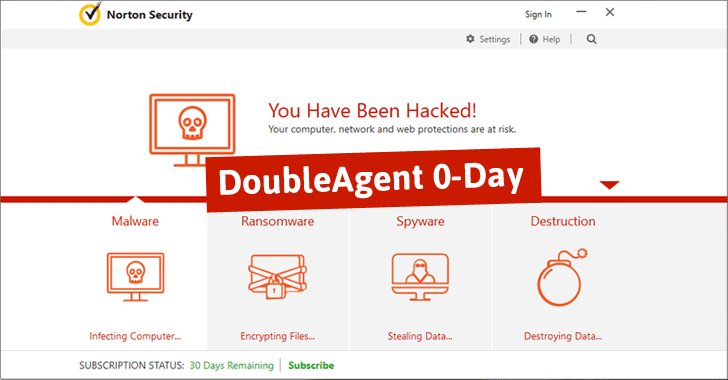
DoubleAgent - Can hijack your Windows as well as your Antivirus


What this article includes :

Here is an overview of the knowledge this article will provide you.
  • About DoubleAgent
  • About Cybellum
  • About Application Verifier in Windows
  • About Protected Processes
  • Source Code of the DoubleAgent Tool
  • Proof about its working
  • How this works?
  • What can be done using this tool?
  • List of Hacked Antiviruses
  • And a lot more..

Overview :

Are you using Windows OS on your PC..! Then you are at risk.

Dubbed DoubleAgent, the new injecting code technique works on all versions of Microsoft Windows operating systems, starting from Windows XP to the latest release of Windows 10.

What's worse? DoubleAgent exploits a 15-years-old undocumented legitimate feature of Windows called "Application Verifier," which cannot be patched.
Application Verifier is a runtime verification tool that loads DLLs (dynamic link library) into processes for testing purpose, allowing developers quickly detect and fix programming errors in their applications.

The attack begins when the attacker injects code into the antivirus by exploiting a new Zero-Day vulnerability. Once inside, the attacker can fully control the antivirus. They named this attack DoubleAgent, as it turns your antivirus security agent into a malicious agent, giving an illusion that the antivirus protects you while actually it is abused in order to attack you.

How does DoubleAgent work?

We know that to hack any system, there should lie a vulnerability in it. Here,


Here is what Cybellum Researchers say about this attack to get worked :

Using DoubleAgent to get Full Control of Anti-Virus :


  • Avast (CVE-2017-5567)
  • AVG (CVE-2017-5566)
  • Avira (CVE-2017-6417)
  • Bitdefender (CVE-2017-6186)
  • Trend Micro (CVE-2017-5565)
  • Comodo
  • ESET
  • F-Secure
  • Kaspersky
  • Malwarebytes
  • McAfee
  • Panda
  • Quick Heal
  • Norton


Monday, 20 March 2017

McDonalds India is leaking 2.2 million users data


The McDonald’s India app, McDelivery is leaking personal data for more than 2.2 million of its users which includes name, email address, phone number, home address, accurate home co-ordinates and social profile links. We contacted McDelivery on 7th Feb and received an acknowledgement from a Senior IT Manager on 13th Feb (33 days ago). The issue has not been fixed yet and our continued effort to get an update for the fix after the initial acknowledgement has failed.

UPDATE1: McDonald’s India has replied to us that they have fixed the issue and would be releasing an official statement urging their users to upgrade the app.
UPDATE2: The McDonald’s fix is incomplete and the endpoint is still leaking data. We have communicated this again to them and are waiting for their response.

An unprotected publicly accessible API endpoint for getting user details coupled with serially enumerable integers as customer IDs can be used to obtain access to all users personal information.

The lack of strong data protection and privacy laws or penalties in India, unlike the European Union , United States or Singapore has led to companies ignoring user data protection. There is a similar lack of push from non-government organisations to improve this scenario. We have in the past discovered more than 50 instances of data leaks in several Indian organisations. In fact, we are pleasantly surprised when we find Indian companies without a personal or payment data leak vulnerability in their APIs.


A sample response to Curl request :

Click to view full size image

Disclosure Timeline:
  • 4th Feb’17 — Fallible reported the issue to McDelivery
  • 13th Feb’17 — Issue acknowledged by McDelivery IT Manager.
  • 7th March’17 — Fallible sent an email asking about the status, no reply from McDelivery.
  • 17th March’17 — Fallible sent another email; No response from McDelivery;
  • 18th March’17 — No response yet. McDelivery users are still vulnerable. Public disclosure.

Now it depends on users what actions they take. The company is still trying to solve the issues. Till then, take care... 

Source : HackerNoon

Popular Posts